/en/articles/openai-launches-images-2-6-animated-gifs-svg-and-a-new-control-for-deciding-how-much-the-model
OpenAI launches Images 2.6: animated GIFs, SVG, and a new control for deciding how much the model thinks
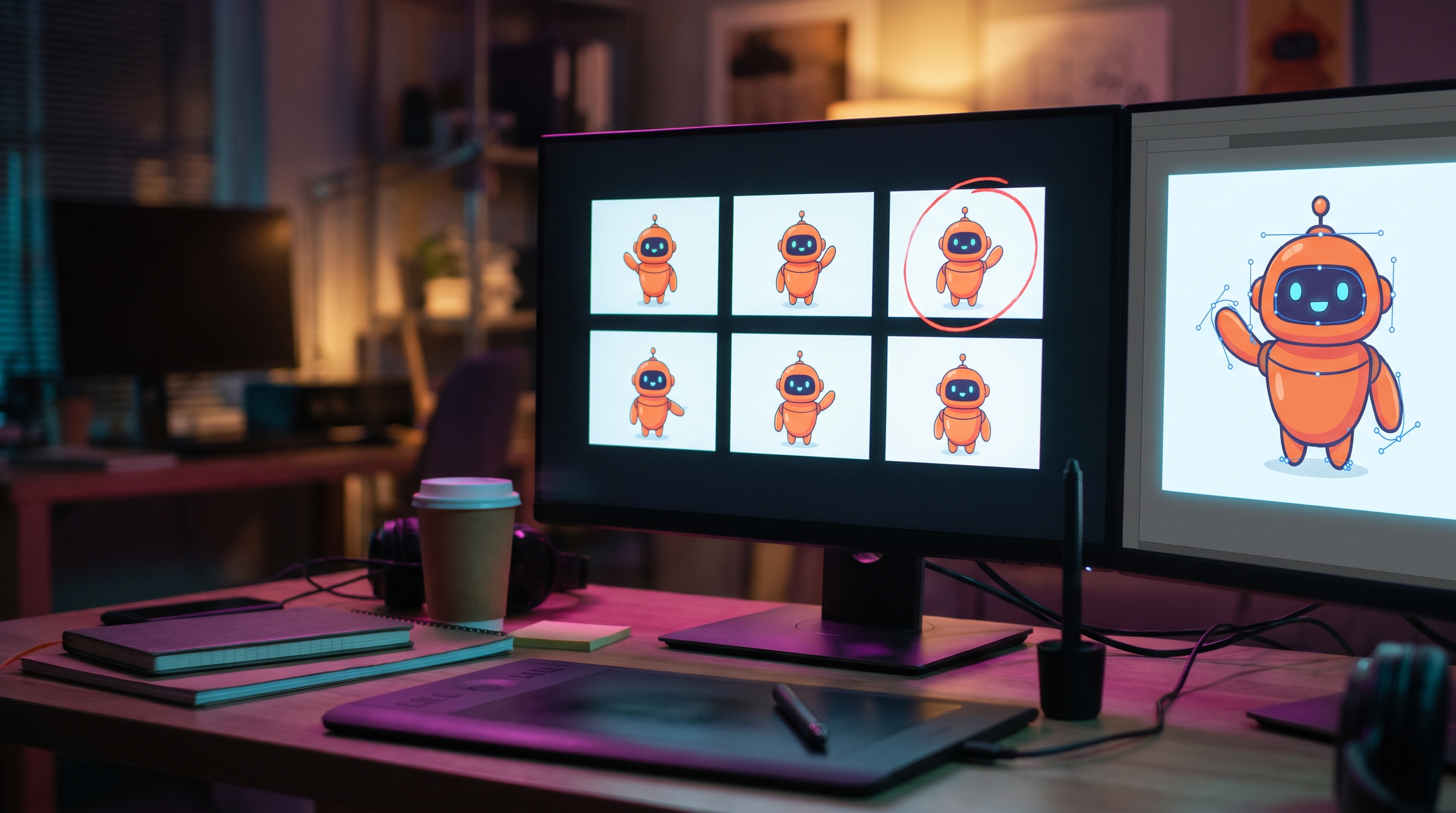
OpenAI launched Images 2.6 on November 4, 2026 in ChatGPT, Codex, and the API. According to the company, it generates images 50% faster than the previous version, now makes animated GIFs, and, in the API, adds three things that people integrating images into their products have been asking for a while: annotations to mark where to edit (markup), SVG export, and a new parameter, complexity, to decide how much the model "thinks" before painting. If you have an image workflow in production, the news isn't the meme GIF: it's that you can now trade speed for planning without overpaying.
What OpenAI announced
The announcement brings two models for the API, with names already familiar to anyone using 2.5:
- GPT-Image-2.6 Flare, the fast one. OpenAI says that with quality set to
lowit can generate an image "in as little as six seconds" and that it improves composition in posters, product photos, and other professional pieces. - GPT-Image-2.6 Sunburst, the detail-oriented one. According to the announcement, it delivers higher quality and keeps edits more consistent when quality is set to
mediumorhigh. It's the one to use when a character, a product, or a brand has to come out the same every single time.
In ChatGPT and Codex, Images 2.6 is available worldwide for all plans, on desktop, mobile, and web. Along the way, OpenAI dropped a scale figure: people create 4 billion images per week across ChatGPT, Codex, and the API, more than 500 million a day.
GIFs: the flashy part
The star feature for the general public is animation. OpenAI pitches it for brand mascots, reactions and memes for social media, product loops, and animated storyboards to explore a character's movement before producing video. The announcement says even a simple sketch can become an animated character, and illustrates it with an owl drawn in pen on lined paper. It cites OpenArt, Picsart, Figma Weave, and Town, a startup making work assistants, as early customers.
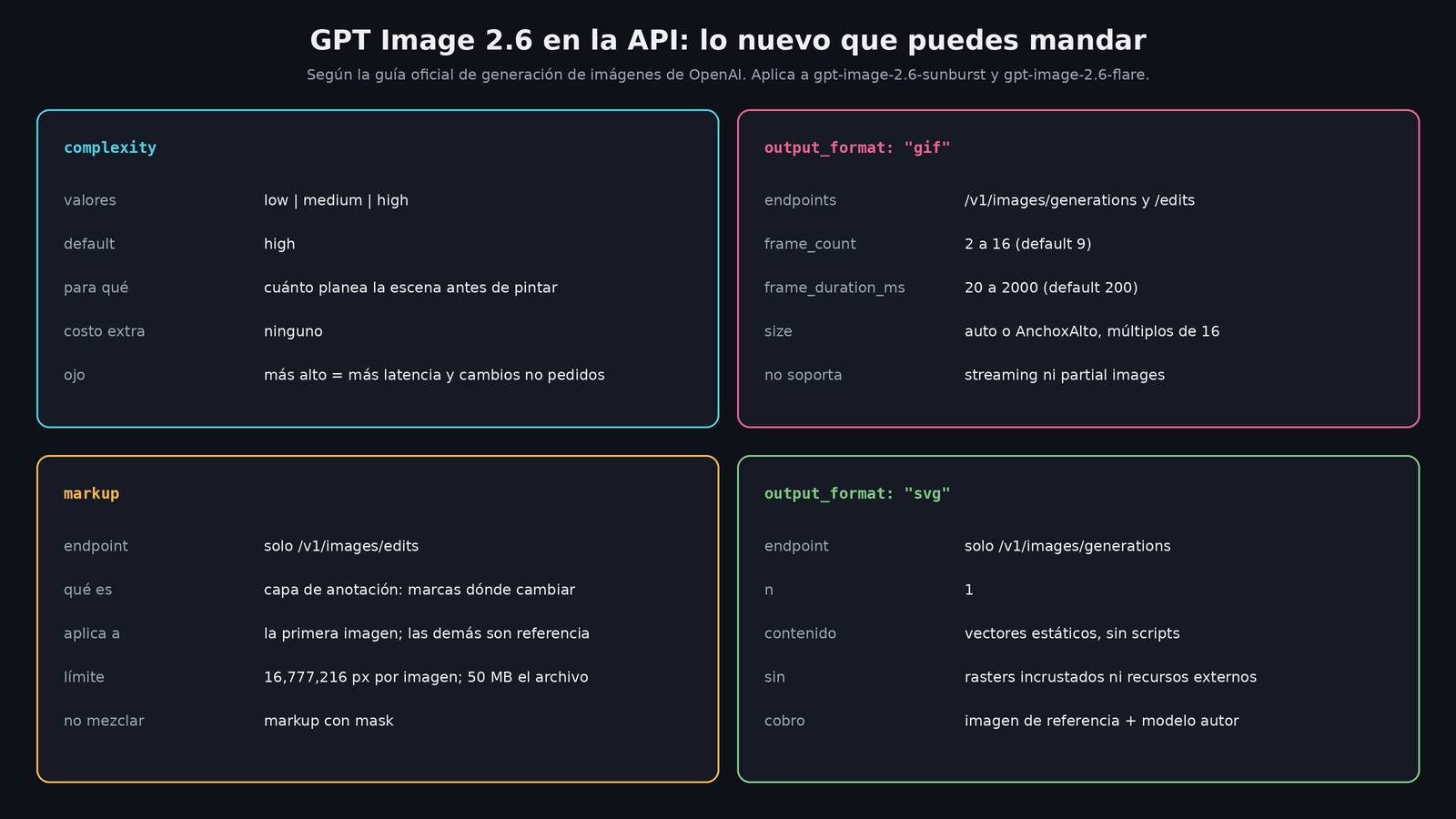
In the API, the official guide handles it with output_format: "gif" on /v1/images/generations or /v1/images/edits. It's controlled with frame_count (2 to 16 frames, 9 by default) and frame_duration_ms (20 to 2,000 ms per frame, 200 by default). With the default values you get a 1.8-second loop, which is exactly the example of the little monkey with a flashlight in the documentation. There's no streaming or partial images for GIFs, and the size of each frame has to fit within the model's pixel budget: if you go over, the guide says to reduce frames, resolution, or n.
My take: for anyone making event content, animated flyers, or stickers for a bot, a loop of under two seconds made from a prompt is exactly what used to require After Effects or an expensive video generator. It's not video, but a lot of the time you don't need video.
What matters to the people who code
complexity. It accepts low, medium, and high; if you don't send it, both models use high. The guide explains that it controls how much the model plans before rendering, separate from quality, which controls visual detail. Low works for targeted edits, like changing a background or a sign; high helps with dense text, complicated layouts, and relationships between objects. OpenAI warns that raising it "may increase latency and introduce unwanted changes," and for most edits it recommends low. Adjusting it has no separate cost.
Watch out for that default: if you migrate a quick-edit workflow to 2.6 without touching anything, you'll run on high, which is the slowest and the one most likely to take liberties with your image. Send it explicitly.
Markup. It already existed in ChatGPT and now arrives in the API, only on /v1/images/edits. You send an annotation layer (for example, a red circle around the vase) and describe the change in the prompt. The annotation applies to the first image; the others work as reference. Each image and the layer can be at most 16,777,216 pixels, the annotation file up to 50 MB, and you can't combine markup with mask. There's no extra charge: it uses the same rates as any edit.
SVG. With output_format: "svg" on /v1/images/generations (not on edits) you get an SVG with editable strokes. It works with n=1, no streaming, and the document contains only static vectors: no scripts, no external resources, and no embedded rasterized images. Under the hood, the API first generates a reference image and then an "author" model writes the SVG; you pay for both. For icons, simple logos, and interface illustrations, this saves the step of vectorizing by hand.
How much it costs
The pricing page lists both 2.6 models with the same per-token rates as 2.5:
| Item | Price per million tokens |
|---|---|
| Image input | $8.00 USD |
| Image output | $30.00 USD |
| Text input | $5.00 USD |
| Cached image input | $2.00 USD |
| Cached text input | $1.25 USD |
The guide clarifies that equal rates don't mean the same cost per image, because each model and each quality level consumes a different number of tokens: you have to measure it with the usage field in the response. For Sunburst and Flare, in both 2.6 and 2.5, quality accepts low, medium, high, xhigh, and max. One detail I noticed today: the Batch pricing table still doesn't include the 2.6 models, although it does include the 2.5 ones and gpt-image-2.
Safety and provenance
The system card says Images 2.6 uses the same safety foundation as 2.5, with extra safeguards for GIFs, because motion can communicate things that a single frame can't. In its test with adversarial GIFs, moderation caught 77.7% of the cases that violated policies, and OpenAI admits that motion-related violations "remain difficult to detect."
In the still-image evaluation with 3,077 prompts designed to break the rules, Sunburst let through slightly fewer than its predecessor (1.72% versus 1.92%). Flare went up from 1.49% to 2.14% of unblocked harmful outputs; OpenAI notes that neither difference is statistically significant. Images still carry C2PA metadata and Google DeepMind's invisible SynthID watermark in ChatGPT, Codex, and the API.
What's still unclear
- The image generation guide is still only partly updated: its examples and its summary still talk about the 2.5 models, and only the new section and the GIF, SVG, and markup sections mention 2.6.
- OpenAI didn't publish timing comparisons by quality or size beyond the "50% faster" and the "six seconds" for Flare at
low. - Your organization may have to complete OpenAI's API verification before using these models, as was already the case with the GPT Image family.
My take
For anyone already using gpt-image-2.5-*, nothing breaks: 2.5 is still on the price list and 2.6 is activated by changing the model name. What's worth testing right now is complexity at low for repetitive edits, because it's free speed, and markup for workflows where you currently struggle with masks. The GIF is fun and is going to fill timelines with mascots crying in front of charts, but the fundamental change is that the image API is starting to look more like a design tool than a slot machine: you tell it where, how much to think, and what format you want.
I haven't tested it; everything technical comes from OpenAI's announcement, guide, pricing page, and system card.